Model Context Protocol
Do ASO by talking to your AI assistant.
ASOcelot includes a local MCP server with 32 tools. Connect Claude Code, Claude Desktop, Cursor or Codex, and ask for a weekly ranking report, keyword opportunities or a keyword plan for an app you haven’t launched yet.
What you can ask
Weekly report
“Summarize how my app’s rankings changed in the US this week and what I should do next.”
Opportunities
“Find keywords where I rank between 11 and 30 but popularity is high.”
New app
“Research keywords for a meditation timer I plan to launch in Germany.”
These three requests also ship as MCP prompts: weekly-aso-report, find-keyword-opportunities and new-app-keywords.
Set up in a minute
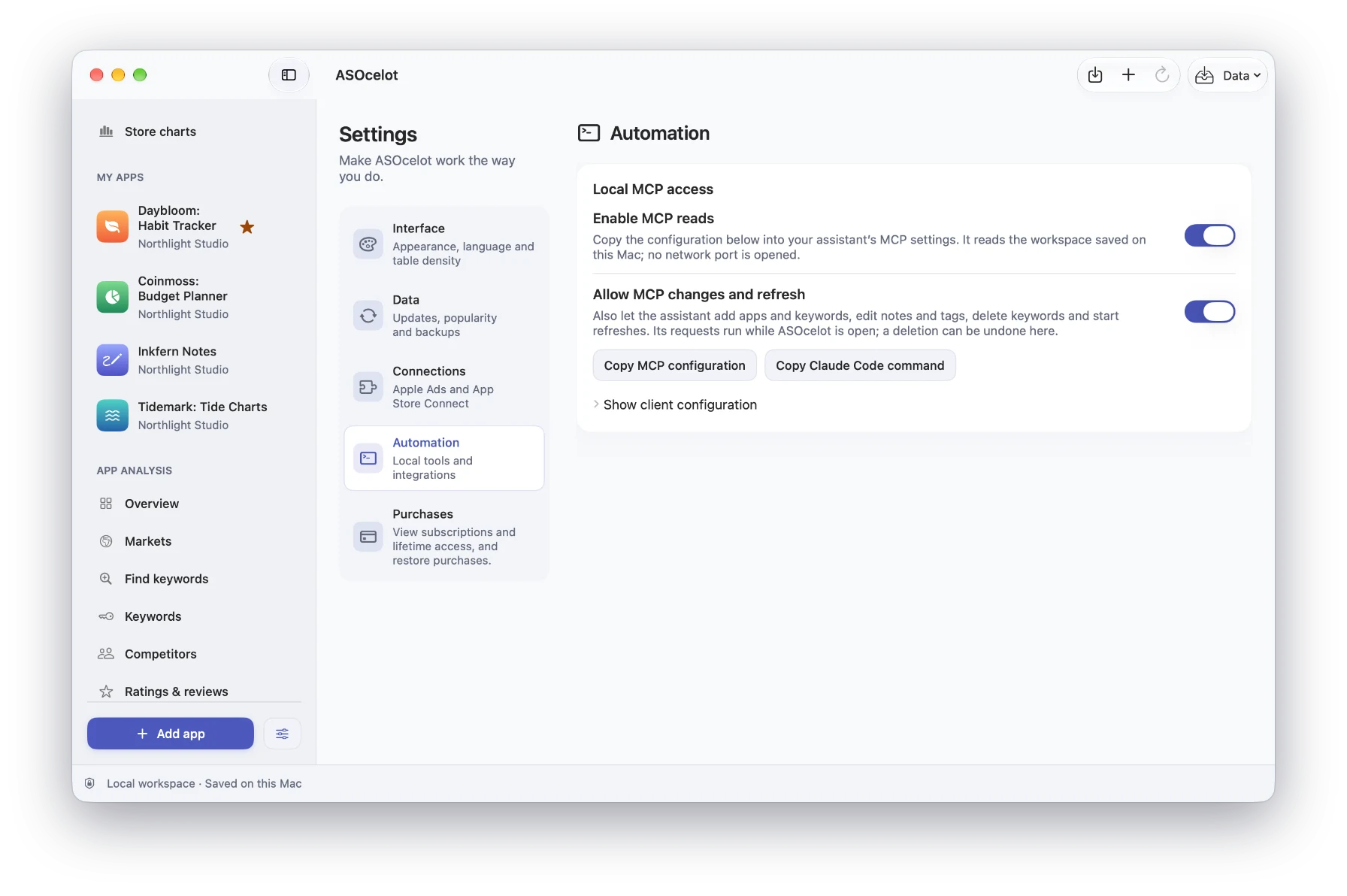
- 1Open ASOcelot → Settings → Automation and turn on MCP reads.
- 2Choose your assistant in Get started with MCP and copy the setup. It already contains the right paths for your Mac.
- 3Paste it into the assistant’s configuration, or run it in Terminal for Claude Code. ASOcelot shows when the assistant connects.
The server talks to your assistant over standard input and output. It opens no network port.
Claude Code
claude mcp add --scope user asocelot -- \
  /Applications/ASOcelot.app/Contents/MacOS/ASOcelot \
  --mcp --application-support-dir "<path copied from ASOcelot>"
Claude Desktop and Cursor
{
  "mcpServers": {
    "asocelot": {
      "command": "/Applications/ASOcelot.app/Contents/MacOS/ASOcelot",
      "args": ["--mcp", "--application-support-dir", "<path copied from ASOcelot>"]
    }
  }
}
Codex
[mcp_servers.asocelot]
command = "/Applications/ASOcelot.app/Contents/MacOS/ASOcelot"
args = ["--mcp", "--application-support-dir", "<path copied from ASOcelot>"]
32 tools for App Store research
Your workspace
Tracked apps, listings, keywords with tags and notes, ranking history, rank changes since a date, ratings and release reports.
Live App Store research
Store search, autocomplete suggestions and keyword checks with difficulty, the top ten apps and an app’s position. Works for apps that aren’t published yet.
Apple Ads popularity
Popular terms Apple publishes for a category and country, with their popularity, when you connect your Apple Ads account.
Competitor scans
Start or resume a search positions scan in the background and read the saved results, even when the app is closed.
Metadata checks
Check name, subtitle and keyword limits, repeated words and phrase coverage, then leave a local draft for you to review.
Safe changes
Changes need a separate switch and Pro. Deleting an app or country opens a confirmation in ASOcelot, and dry runs validate a request first.
Live App Store searches, suggestions and keyword checks answer even while ASOcelot is closed. Workspace reads need MCP reads turned on in the app.
Give your assistant real App Store data.
Free plan: MCP reads and live research. Pro: changes, scans and Apple Ads popularity.